Does your AI actually know your business? How to read the Brain health score
Fluent answers are not proof. The Brain health score shows how much of what your AI crew works from is your own knowledge, what each part measures, and what to do next to raise it.
An AI tool can sound sure of itself and still be guessing. It read your website, it wrote a tidy summary, and now every reply comes out fluent. Fluent is not the same as right. The practical question for an owner is simple: how much of what this thing "knows" did I actually confirm?
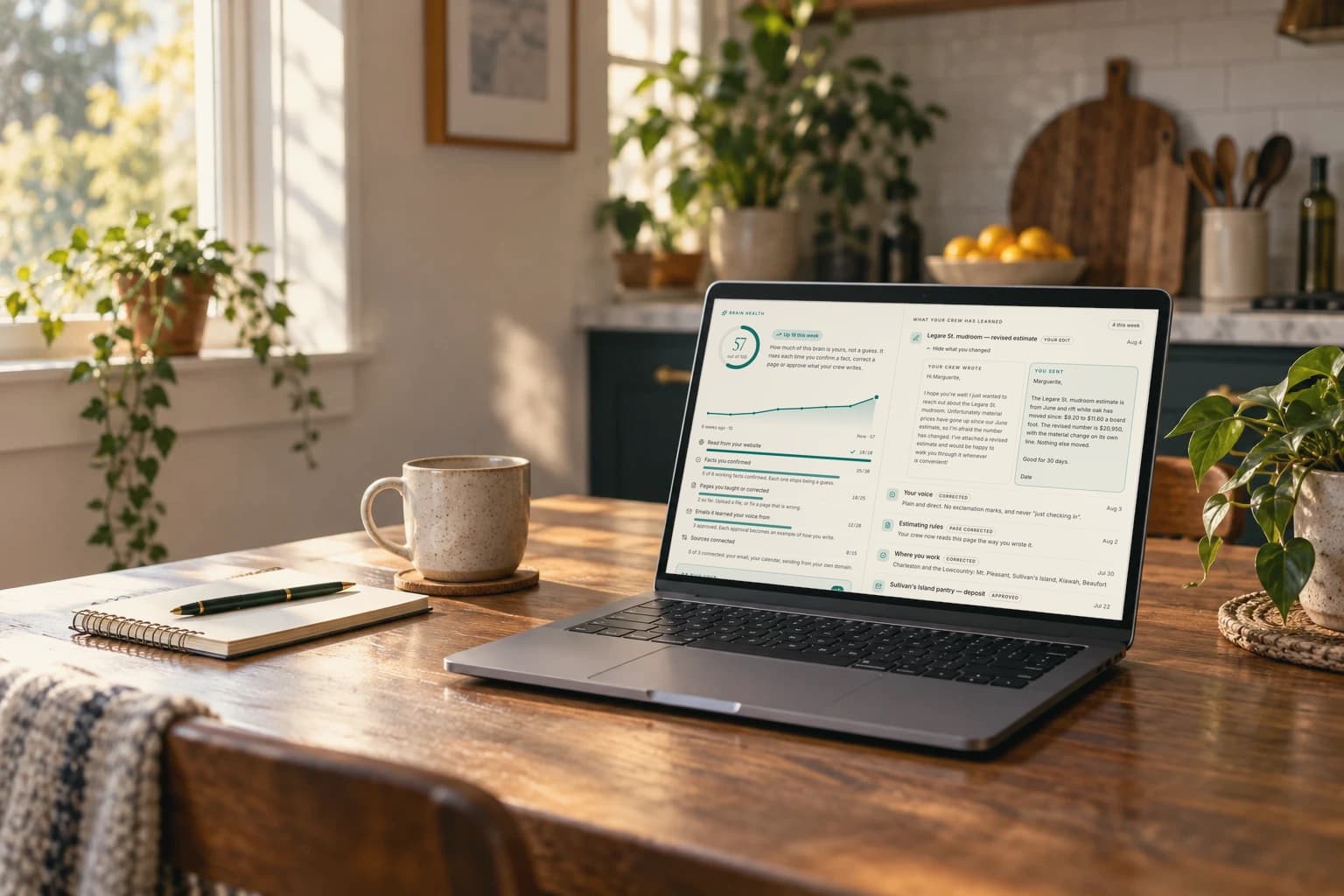
Brainztem answers that with one number on the Brain tab: Brain health, out of 100. This guide explains what the number means, what each part measures, and what to do to raise it.
What the score measures
The panel says it in one line: how much of this brain is yours, not a guess. The score rises when you confirm a fact, correct a page, approve what your crew writes, or connect a source. It does not measure how clever the model is, how many pages exist, or how much you have chatted.
It starts low on purpose. A fresh scan earns at most 10 points. That is not a bad grade. It is an accurate one: the brain exists, and nobody has vouched for it yet.
The five parts
- Read from your website, up to 10 points. Two points for each page the scan wrote, to a cap of ten. Nothing you do moves this part.
- Facts you confirmed, up to 30 points. The working facts are the basics: your name, what you do, who you serve, where you work, your top goal and your voice. The 30 points are shared equally among them, so with six facts each one is worth 5.
- Pages you taught or corrected, up to 25 points. Five points for each page you uploaded, photographed or corrected. It is counted by page, so ten edits to one page still count as one.
- Emails it learned your voice from, up to 20 points. Four points for each email you approved, whether you changed it first or not.
- Sources connected, up to 15 points. Five points each for your email, your calendar and sending from your own domain. Connecting Google covers the first two.
Each part has its own bar. Under an unfinished bar is a short line that says where you stand, for example how many of your working facts are confirmed.
Do this next
Under the bars sits a box labeled "Do this next." It names one action and shows what it is worth, such as +5. The rule behind it is simple: it picks the part with the most room left. When two parts are tied, it picks the cheaper action, because confirming a fact is one click and connecting an account is a sign-in.
The button in the box says "Take me there," and it does. It scrolls to the facts list, opens the page reader, asks your crew for an email draft, or opens Sources.
A worked example
Picture a made-up business: a two-van plumbing company that has run its website through the scan.
The scan wrote five pages, so the first part is full. Nothing else has happened yet. Score: 10.
The owner opens the knowledge inbox and goes through six facts. Four are right, so she presses Confirm. Two are wrong: the service area is out of date and the goal is not hers. She presses Correct and types the right answers. All six now count, for 30 points. Score: 40.
She uploads the price list as a PDF and fixes the page about emergency call-outs. Two pages, 10 points. Score: 50.
Once the company is on a plan, she connects Google for email and calendar, which adds 10, and approves three reply drafts over the week, which adds 12. Score: 72.
Nothing on that list needed a training session. It was a few decisions about things she already knew.
Read the trend, not only the number
When the score has climbed, the panel draws a small chart of the last eight weeks with both ends labeled, and a badge such as "Up 12 this week." No history is stored to draw it. Every decision carries its own date, so the score for any past week can be worked out again from what you did.
A flat line is not a failure. It means nothing new was confirmed that week. The case to worry about is a business that changed its prices, hours or service area and still has a flat line, because the brain is now out of date.
What a high score does and does not tell you
A high score means your crew is writing from things you vouched for. It does not mean every draft is right. You still read what goes out, and nothing sends until a person approves it. A low score does not mean the tool is broken. It means the brain is still mostly a first reading of your website, and the drafts should be read with that in mind.
Open the Brain tab in your workspace and look at "Do this next." Do that one thing today. If you do not have a workspace yet, the free 48-hour preview at brainztem.com builds one from your website, or from a few lines about your business, with no card.
Frequently asked questions
What is a good Brain health score?
There is no pass mark. A fresh scan earns at most 10, and the number rises as you confirm facts, correct pages, approve emails and connect sources. Watch whether it is rising, not where it sits.
Why did my score start so low?
On purpose. Until you confirm something, the brain is the scan's reading of your website, and the score says so plainly.
What raises the score the most?
The part with the most room left, which the "Do this next" box picks for you. In a new workspace that is usually the working facts, worth up to 30 points in total.
Does a high score mean the AI will not make mistakes?
No. It means your crew writes from knowledge you vouched for. You still read every draft, and nothing sends without a person's approval.
Put your operation on a crew.
Enter your website and get a workspace built from it. Free for 48 hours.